For custom golf gloves, send a vector logo file, a simplified version that reads at small size, and your brand color codes, then check the mockup for legibility on the actual glove color. Customized Golf Gloves returns a free mockup within 24 hours, and good artwork at the start is the fastest way to golf gloves that look sharp on the tab or cuff.
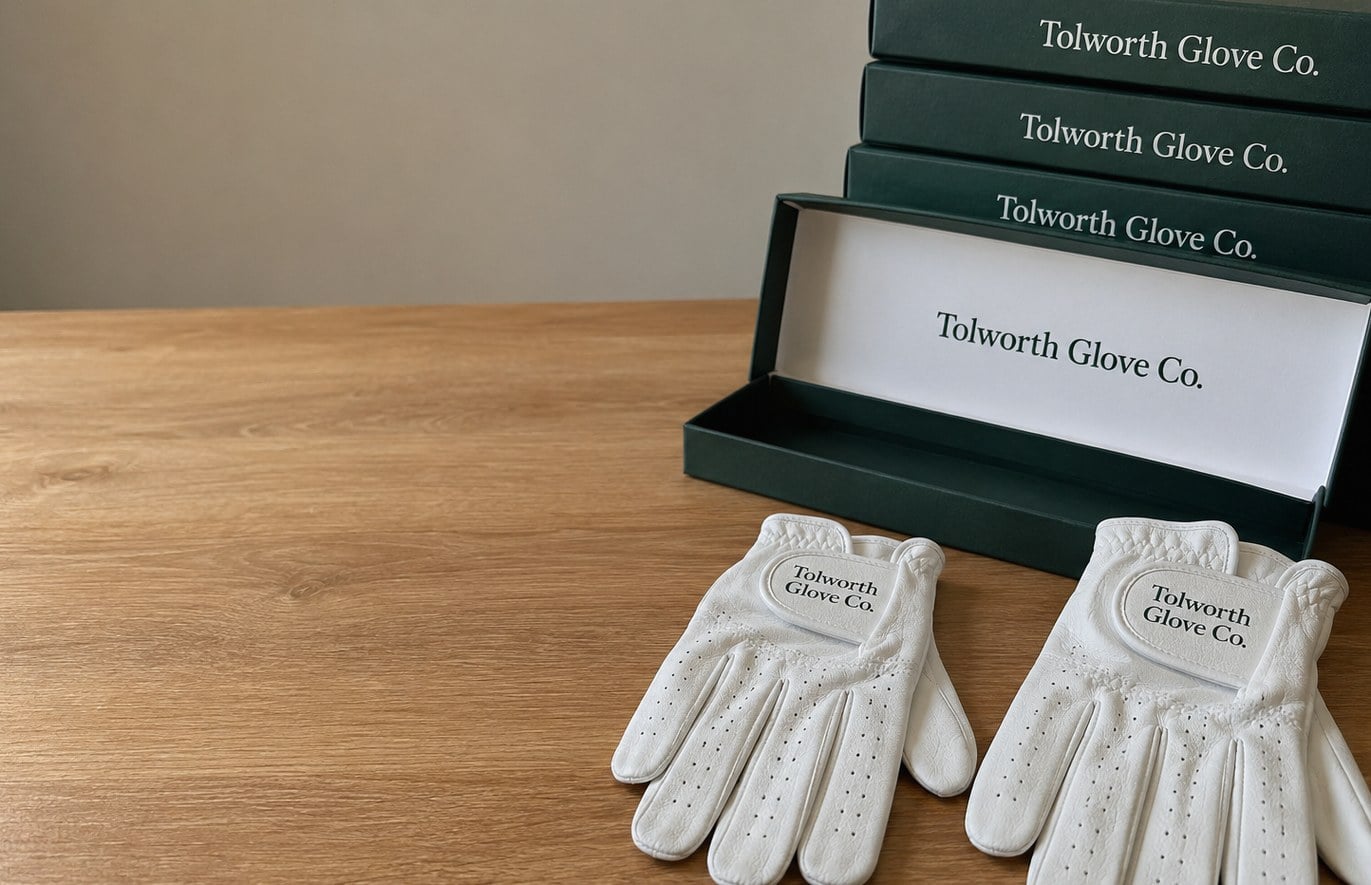
- Vector files such as AI, EPS, SVG or vector PDF give the cleanest logo
- Golf glove tabs are small, so simplified logos read best
- Free mockup within 24 hours, unlimited free revisions
- Pay nothing until you approve the design; production about 2 weeks after approval
What artwork files should I send for custom golf gloves?
The best artwork for custom golf gloves is a vector file: AI, EPS, SVG or a PDF saved from a design program with the vector shapes intact. Vector artwork scales down to a glove tab without blurring, which matters because the logo area on golf gloves is much smaller than on a shirt or a banner. Customized Golf Gloves can also work from a large, high-resolution PNG when no vector exists.
If you are not sure what you have, look at how the file was made. A logo exported from the original design software is usually vector. A logo copied from a website, an email signature or a social media profile is usually a small image that will look soft once it is reduced and decorated. When in doubt, send everything you have and let the team check it.
- Best: AI, EPS, SVG or vector PDF from your designer or brand guide.
- Workable: a large PNG with a transparent background.
- Avoid: screenshots, website graphics, photos of printed items and logos inside a Word document.
Upload files through the quote form, and mention any brand guide rules on clear space or color use.
How much logo detail fits on a golf glove tab?
A golf glove tab holds a simple mark well and fine detail poorly, so the logo version you send should be the one your brand uses at its smallest size. Customized Golf Gloves usually recommends a single icon, a short wordmark or a crest with the inner text removed, because thin lines, taglines and tiny lettering fill in or disappear at tab size.
Most brands already own a simplified version. Look in the brand guide for an icon-only mark, a favicon-style symbol or a stacked logo built for social profiles. Horizontal logos with a long company name tend to shrink until nothing is readable, while a compact stacked version or a monogram fills the tab and stays clear.
- Choose the shortest version of the name that still identifies you.
- Drop taglines, founding dates and small descriptive text.
- Thicken very thin outlines or remove them altogether.
- Move secondary marks, such as an event name or sponsor, to the cuff if the glove style allows.
The site’s earlier post on why the logo goes on the tab explains placement; this guide is about preparing the art that goes there.
How do logo colors look on leather and synthetic golf gloves?
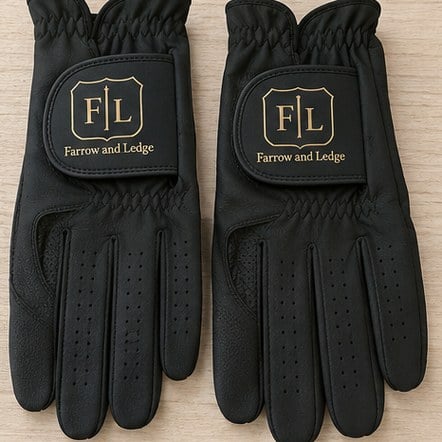
Logo colors on golf gloves depend heavily on the glove color underneath, and contrast matters more than an exact match. A dark logo on a white cabretta leather glove reads instantly, while a pale logo on a white glove can vanish from a few steps away. Customized Golf Gloves shows the logo on the actual glove color in the mockup so you can judge contrast before anything is made.
Send your brand color codes, such as Pantone references or the hex and CMYK values from your brand guide, so the team can match them as closely as the decoration method allows. Leather and synthetic surfaces take color slightly differently, and a color that looks perfect on screen may read darker or lighter once applied to a textured glove.
| Glove color | Logo colors that read well | Watch out for |
|---|---|---|
| White leather or synthetic | Navy, black, deep red, dark green | Pale yellow, light gray, pastel tones |
| Black or dark gloves | White, bright accent colors | Navy, dark brown, dark green |
| Colored gloves | White or black for maximum contrast | Logo colors close to the glove color |
| Debossed leather | Tone-on-tone, no ink | Logos that depend on color to make sense |
Which artwork suits printed, embroidered and debossed golf gloves?
Each decoration method on golf gloves favors a different kind of artwork, so choosing the method and preparing the logo go together. Printing handles multiple colors and smaller detail best, embroidery suits bold shapes with few colors, and debossing presses a single-color, tone-on-tone shape into leather. Customized Golf Gloves can recommend the method once it sees your file.
- Printed golf gloves: the most flexible option for multi-color logos and crests. Keep text large enough to read, and send exact color codes.
- Embroidered golf gloves: best for simple, bold marks. Very small lettering and fine gradients do not stitch cleanly on a glove.
- Debossed golf gloves: the logo becomes a pressed shape with no color, so it must read as a silhouette. Solid shapes and thick lines work best. See the debossed custom golf gloves page.
Gradients, drop shadows and photographic elements rarely translate to any glove method. If your logo uses them, ask for a flat version from your designer, or let the team suggest a simplified treatment on the mockup. Leather and synthetic options are covered on the cabretta leather golf gloves and all-weather synthetic golf gloves pages.
What should I check on a golf glove mockup before approving it?
Before approving a golf glove mockup, check that the logo is readable at true size, the colors have enough contrast on the glove, every word is spelled correctly and the placement matches what you asked for. Customized Golf Gloves offers unlimited free revisions and you pay nothing until you approve, so there is no reason to approve a mockup you are unsure about.
Look at the mockup the way a golfer will see the glove: from arm’s length, on a phone screen, and printed out if possible. A logo that looks fine zoomed in on a large monitor may be too small to recognize on the course. Ask a colleague who has not seen the artwork to name the brand from the mockup alone.
- Confirm the logo version is the simplified one you intended.
- Check contrast against the actual glove color, not a white background.
- Read every letter of any text, event name or date.
- Confirm the decoration method and glove style on the mockup notes.
- Check that left-hand and right-hand gloves are both shown if your order includes both.
- Approve only when the person who owns the brand has signed off.
What artwork problems slow down a golf glove order?
The artwork problems that slow down golf glove orders most often are low-resolution files, logos that are too detailed for the tab, missing color codes and late changes after approval. Each one adds a revision round or a pause while someone finds the right file. Customized Golf Gloves can usually fix these on the mockup, but sorting them out before you send the request keeps the order moving.
A common delay is waiting for a designer to supply the vector file after the quote is requested. Find the brand guide or the original logo file first, and if no vector exists, say so on the request so the team can plan for it. Another is a committee that sees the design for the first time after approval; share the mockup with everyone who has a say on the same day it arrives.
Once approved, standard production takes about 2 weeks, with faster turnaround available with express shipping. Save the approved mockup and file for reorders, so next season’s golf gloves match without starting over. The how it works page covers each step, and the winter golf gloves vs cart mitts guide shows how one logo file can cover cold-weather gear too.
Frequently asked questions
Can a long company name fit on a golf glove tab?
A long company name usually fits poorly on a golf glove tab, because the letters shrink until they are hard to read. Customized Golf Gloves recommends an icon, initials or a short wordmark on the tab instead. If the full name matters, the mockup can test it against a simplified version so you can see which reads better at true size.
Can I use a logo copied from my website for custom golf gloves?
A logo copied from a website is usually too small for custom golf gloves and can look blurry once decorated. Customized Golf Gloves will check the file, but a vector version from your designer or brand guide gives a much cleaner result. If no vector exists, mention it on the quote request so the team can advise on next steps.
Will a white logo show up on a white golf glove?
A white logo on a white golf glove has almost no contrast and will be very hard to see. Customized Golf Gloves suggests switching to a dark brand color on light gloves, or choosing a debossed tone-on-tone finish if the goal is a subtle look. The mockup shows the logo on the actual glove color, so contrast problems are easy to spot.
Should I send Pantone color codes for a golf glove logo?
Sending Pantone or other brand color codes helps Customized Golf Gloves match a golf glove logo as closely as the decoration method allows. Screens display color differently, so a code is more reliable than a screenshot. Include the codes from your brand guide with the artwork file, and note any colors that must never be substituted.
Can a logo with a gradient or shadow go on golf gloves?
A logo with gradients or drop shadows rarely decorates cleanly on golf gloves, because glove decoration works best with flat, solid colors. Customized Golf Gloves can suggest a flat version on the mockup that keeps the look of your brand. Many companies already have a flat or one-color logo in their brand guide that suits gloves well.
Does a golf glove logo look the same on left-hand and right-hand gloves?
A golf glove logo is placed so it reads correctly on both left-hand and right-hand gloves, so golfers on either side see the same mark. Customized Golf Gloves shows both versions on the mockup when an order includes both hands. Check that the logo direction and position look right on each before you approve the design.
Can Customized Golf Gloves redraw an old club crest that only exists as a scan?
Customized Golf Gloves can review a scanned club crest and advise whether it can be cleaned up for golf gloves. Older crests often have fine detail that needs simplifying for a small tab anyway. Send the best scan you have, plus any printed items showing the crest clearly, and the mockup will show how the simplified version looks on a glove.
Can a golf glove logo include a website address or social handle?
A website address or social handle can be added to golf gloves, but small text on a glove is hard to read, so it rarely belongs on the tab. Customized Golf Gloves suggests keeping the tab for the logo and placing short text on the cuff if the glove style allows. The mockup will show whether the text is legible.
Should the trademark symbol appear on a logo for golf gloves?
A trademark or registered symbol can appear on golf gloves if your brand guide requires it, though at tab size it may be too small to read. Customized Golf Gloves will follow your brand rules. Many brands allow the symbol to be dropped on small promotional items, so check with your marketing team before sending the final artwork.
Can a golf glove logo be updated if our brand changes next year?
A golf glove logo can be updated for a reorder whenever your brand changes. Customized Golf Gloves keeps the approved design, so you only need to send the new artwork and note what has changed. A fresh mockup arrives within 24 hours, and unlimited free revisions mean the refreshed gloves can match your new brand guide before production starts.
What is the quickest way to get a golf glove mockup right the first time?
The quickest way to get a golf glove mockup right the first time is to send a vector logo, a simplified small-size version, your color codes and the glove style you want in one request. Customized Golf Gloves returns the mockup within 24 hours. Clear instructions up front mean fewer revision rounds and an earlier production start.
Get a free mockup for your golf gloves
Send your logo or idea and the quantity you have in mind. Customized Golf Gloves returns a free mockup within 24 hours, you approve the design before anything is produced, and standard turnaround is about two weeks with faster options available. Get a custom quote.